Audio to MIDI Conversion Explained: How AI Turns Sound Into Digital Notes
Understand the Technology Behind AI-Powered Audio-to-MIDI Conversion and How Musicians Use It Today
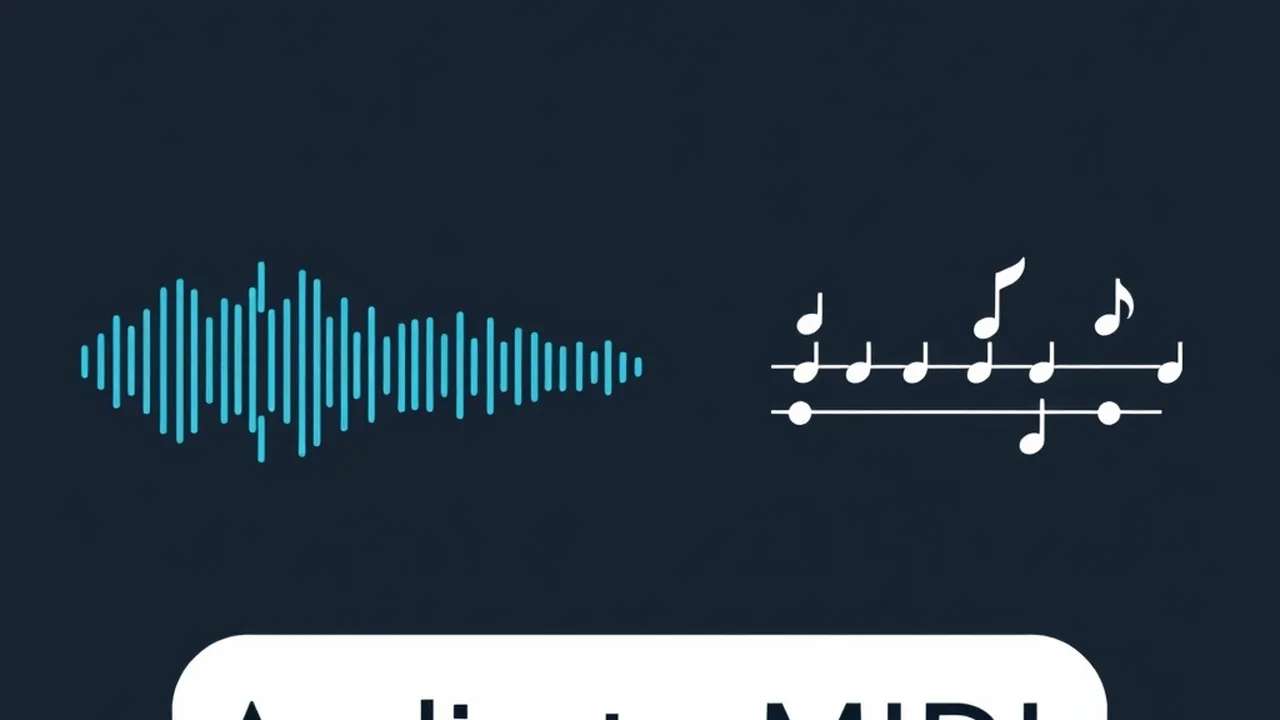
How Audio to MIDI Conversion Actually Works
Converting audio to MIDI is one of the most useful capabilities in modern music technology. Instead of manually transcribing every note you hear in a recording, AI-powered tools can analyze the audio signal and generate a MIDI representation in seconds. This guide breaks down exactly how that process works, from the raw physics of sound to the neural networks making the decisions.
Whether you want to transcribe a piano performance, extract a melody from a YouTube video, or convert your hummed idea into editable notation, understanding the technology behind audio-to-MIDI conversion will help you get better results and know when to trust (or double-check) the output.
The Core Problem: Why Is This Hard?
Audio is a continuous waveform that captures everything happening at once: the fundamental frequency of each note, its overtones, room reverb, background noise, and the blended frequencies of every instrument playing simultaneously. A single piano chord contains dozens of overlapping frequency components.
MIDI, by contrast, is discrete and clean. It says: “Note C4 starts at beat 1, velocity 80, duration half note.” There is no ambiguity.
Bridging that gap, going from a messy real-world signal to precise symbolic notation, is the fundamental challenge of automatic music transcription (AMT). Researchers have worked on this problem for over 40 years, but it is only in the last decade that AI has made the results genuinely usable.
Step 1: Audio Signal Processing
Before any AI model sees the audio, the raw waveform goes through signal processing to make the musical information more accessible.
Time-Frequency Representation
The most critical step is converting the audio from a time-domain waveform into a spectrogram using the Fast Fourier Transform (FFT) or its variants. A spectrogram shows which frequencies are present at each moment in time, essentially creating a 2D image of the sound.
For music transcription, specialized variants work better:
- Mel spectrogram: Maps frequencies to the mel scale, which mirrors how humans perceive pitch. Lower frequencies get more resolution, matching our sensitivity.
- Constant-Q Transform (CQT): Spaces frequency bins logarithmically, so each musical octave gets the same number of bins. This aligns perfectly with how notes are distributed on a piano keyboard.
- Harmonic CQT: Stacks harmonic frequencies together, making it easier to identify which fundamental pitch produced a given set of overtones.
Why This Matters for Accuracy
The choice of representation directly affects how well the AI can distinguish between notes. A standard FFT might blur neighboring semitones at low frequencies (where piano notes are closely spaced in Hz), while a CQT gives uniform resolution across the entire pitch range. This is why modern audio to MIDI converters use music-specific spectrograms rather than generic FFT.
Step 2: Neural Network Architecture
The spectrogram image feeds into a neural network trained to detect musical events. Several architectures have proven effective:
Convolutional Neural Networks (CNNs)
CNNs treat the spectrogram as an image and use learned filters to detect local patterns: the characteristic shape of a piano note onset, the harmonic series of a guitar string, or the formants of a singing voice. Stacked convolutional layers capture increasingly abstract features, from raw frequency patterns to note-level events.
Recurrent Neural Networks (RNNs/LSTMs)
Music unfolds over time, and notes have context. An isolated frame of audio might be ambiguous, but the surrounding frames clarify what is happening. Recurrent networks (particularly LSTMs and GRUs) process the spectrogram sequentially, maintaining a memory of recent events to improve predictions. This helps with sustaining notes, detecting note-off events, and handling legato passages.
Transformer Models
The latest generation of transcription models uses transformer architectures, the same family behind large language models. Transformers excel at capturing long-range dependencies in the audio, which is crucial for understanding musical structure. They can attend to events seconds apart, helping with things like identifying repeated phrases or distinguishing a melody from its accompaniment.
The Output Layer
Regardless of architecture, the network’s output is typically a piano roll matrix: for each time frame, a probability that each of the 88 MIDI pitches is active. Post-processing then converts these probabilities into discrete MIDI events by:
- Thresholding: Probabilities above a cutoff (usually 0.3-0.5) are considered active notes
- Onset detection: Identifying exactly when a note begins, distinct from when it sustains
- Velocity estimation: Mapping the signal energy at onset to MIDI velocity values
- Note grouping: Connecting onset frames to offset frames to determine note duration
Step 3: Training Data and How Models Learn
An AI model is only as good as the data it trains on. For audio-to-MIDI, training requires paired datasets: recordings with perfectly aligned MIDI ground truth.
Key Datasets
- MAPS (MIDI Aligned Piano Sounds): Real and synthesized piano recordings with exact MIDI alignment. The gold standard for piano transcription research.
- MAESTRO: Approximately 200 hours of piano performances from international competitions, captured with Yamaha Disklavier pianos that record both audio and MIDI simultaneously. This dataset was a breakthrough because it provides real concert-quality audio with perfect MIDI alignment.
- MusicNet: 330 classical recordings with note-level annotations across multiple instruments.
- Slakh: Synthesized multi-track datasets with isolated instrument stems and MIDI.
The Training Process
During training, the model sees millions of spectrogram frames paired with their correct piano roll labels. It learns to map the acoustic patterns of each pitch, each instrument, and each playing technique to the correct MIDI output. The model adjusts its internal weights to minimize the difference between its predictions and the ground truth.
Generalization Challenge
Models trained only on piano data perform poorly on guitar or vocals. Models trained on synthesized audio may struggle with real-world recordings that include room acoustics, microphone coloring, and performance imperfections. The best modern models are trained on diverse, large-scale datasets that span instruments and recording conditions.
Monophonic vs. Polyphonic Transcription
Monophonic: One Note at a Time
Monophonic transcription handles a single melodic line, like a solo voice, flute, or whistled tune. This is a solved problem for clean recordings. Algorithms like pYIN and CREPE achieve near-perfect accuracy on isolated monophonic signals. If you are converting a vocal melody or a single instrument line, expect excellent results.
If you want to convert a video to MIDI, this workflow handles the use case well: paste a video URL of a solo performance and get a clean MIDI transcription.
Polyphonic: Multiple Simultaneous Notes
Polyphonic transcription is where the real complexity lies. When a pianist plays a dense chord, the frequencies of all notes overlap and interact. Overtones from lower notes coincide with fundamentals of higher notes. The AI must untangle this mixture and assign each frequency component to the correct note.
Modern models handle polyphonic piano transcription with 85-90% frame-level accuracy on benchmark datasets. That translates to the vast majority of notes being correctly identified, though some fast ornaments, very quiet notes, or extreme register passages may be missed.
Mixed Instrument Audio
Full-mix transcription (extracting all notes from a band recording) remains the hardest challenge. Source separation models first isolate individual instruments, and then per-instrument transcription runs on each stem. Results are improving rapidly but still require manual cleanup for professional use.
Practical Tips for Better Conversions
The quality of your audio directly affects conversion accuracy. Here are proven strategies:
Recording Quality
- Use a close microphone position to minimize room reverb
- Avoid clipping: Distorted peaks confuse onset detection
- Record at 44.1 kHz or higher: Lower sample rates lose high-frequency overtones that help distinguish pitches
- Isolate the instrument: Close doors, turn off fans, and minimize bleed from other sources
Pre-Processing Before Conversion
- Normalize the audio to consistent levels
- Apply gentle noise reduction if there is a constant hum or hiss
- Trim silence from the beginning and end to help the algorithm focus
- Avoid heavy compression: Dynamics carry velocity information
Post-Processing the MIDI Output
No AI conversion is perfect. After running the conversion through the audio to MIDI converter, review the output:
- Quantize judiciously: Snap note timings to the grid, but preserve intentional rubato
- Clean up ghost notes: Remove very short, low-velocity notes that are artifacts
- Check octave accuracy: Some models occasionally place notes in the wrong octave
- Verify sustain: Pedal information is often lost in conversion and may need manual re-entry
- Use the MIDI player to audition results before committing to edits
Real-World Applications
For Composers and Songwriters
Capture melodic ideas by humming or playing into a microphone, then convert to MIDI for arrangement. This workflow is faster than manual notation and preserves the spontaneity of the original performance. Once in MIDI form, you can assign any instrument sound, harmonize, or transpose freely.
For Music Educators
Convert student performances to MIDI to visualize note accuracy, timing, and dynamics on a MIDI player with visualization. The piano roll view makes it easy to show students exactly where their timing drifts or where notes are missed.
For Transcription and Sheet Music
Run the audio through an AI converter, then pass the MIDI file to a MIDI to sheet music converter to generate notation. While the output will need some cleanup, this approach saves hours compared to transcribing by ear, especially for complex passages.
For Producers and Remixers
Extract MIDI from existing recordings to remix or sample. Convert a vinyl-era piano riff to MIDI, assign a modern sound, and build a new arrangement around it. This is common in electronic music production and hip-hop beat making.
The State of the Art in 2026
Audio-to-MIDI technology has improved dramatically. Current state-of-the-art models achieve:
- Solo piano: 90-95% note accuracy on clean recordings
- Solo guitar: 80-90% accuracy for picked notes, lower for strummed chords
- Solo vocals: 92-97% pitch accuracy for monophonic singing
- Full mix (drums excluded): 70-80% accuracy after source separation
- Drums/percussion: 85-95% onset accuracy for standard kit patterns
The gap between “research demo” and “usable tool” has closed significantly. What used to require an expensive DAW plugin now runs in a browser. The free online audio to MIDI converter available on this site demonstrates that usable AI transcription is accessible to everyone.
Limitations to Be Aware Of
Despite the progress, some scenarios still challenge AI transcription:
- Heavily distorted guitar: Distortion adds artificial harmonics that confuse pitch detection
- Detuned or microtonal instruments: Models trained on 12-TET tuning struggle with non-standard intonation
- Very fast passages: Notes shorter than ~50ms may be missed or merged
- Extreme registers: Very low bass and very high treble have fewer distinguishing harmonics
- Live recordings with audience noise: Applause, talking, and room ambiance degrade accuracy
Knowing these limitations helps you choose when AI conversion is the right tool and when manual transcription might be more efficient.
Frequently Asked Questions
How does audio to MIDI conversion work?
Audio to MIDI conversion analyzes a sound recording to detect individual musical notes, then outputs those notes as MIDI data. Modern converters use AI neural networks trained on millions of audio-MIDI pairs to identify pitch, timing, velocity, and duration from complex audio signals, including polyphonic music with multiple simultaneous notes.
Can AI accurately convert any audio recording to MIDI?
AI conversion works best with clean recordings of pitched instruments like piano, guitar, and vocals. Accuracy decreases with heavy reverb, distortion, background noise, or dense mixes with many simultaneous instruments. Solo instrument recordings typically achieve 85-95% note accuracy, while full band mixes may drop to 60-75%.
What is the difference between monophonic and polyphonic transcription?
Monophonic transcription detects one note at a time (like a single vocal melody or flute line) and is highly accurate. Polyphonic transcription detects multiple simultaneous notes (like piano chords or guitar strumming) and is significantly harder because overlapping frequencies must be separated. Modern AI models handle polyphonic transcription much better than older algorithms.
Is audio to MIDI conversion the same as audio recognition like Shazam?
No. Shazam and similar apps match an audio fingerprint against a database of known songs. Audio to MIDI conversion actually analyzes the musical content of any recording and generates a note-by-note transcription. Shazam identifies what song is playing, while audio-to-MIDI tells you exactly which notes are being played and when.
What are the best free tools for converting audio to MIDI?
TuneOn Music offers a free online audio to MIDI converter that uses AI for accurate conversion. Other options include the open-source Basic Pitch from Spotify (Python library), CREPE for monophonic pitch detection, and DAW built-in tools like Ableton Live and Logic Pro which include audio-to-MIDI features in their paid versions.
Ready to try it yourself? Upload any audio file to the audio to MIDI converter and see the AI transcription in action. For online videos, you can extract notes from a video directly.
— Tuneonmusic Team